One task list
Add tasks, steps, files and deadlines. Group them by project. Mark what needs your attention today.
Task and project management for Mac
Organize what you need to do. Plan your time. Give AI the instructions and information it needs, then review the results alongside your work.
Free during beta · macOS 12+ · Apple silicon & Intel
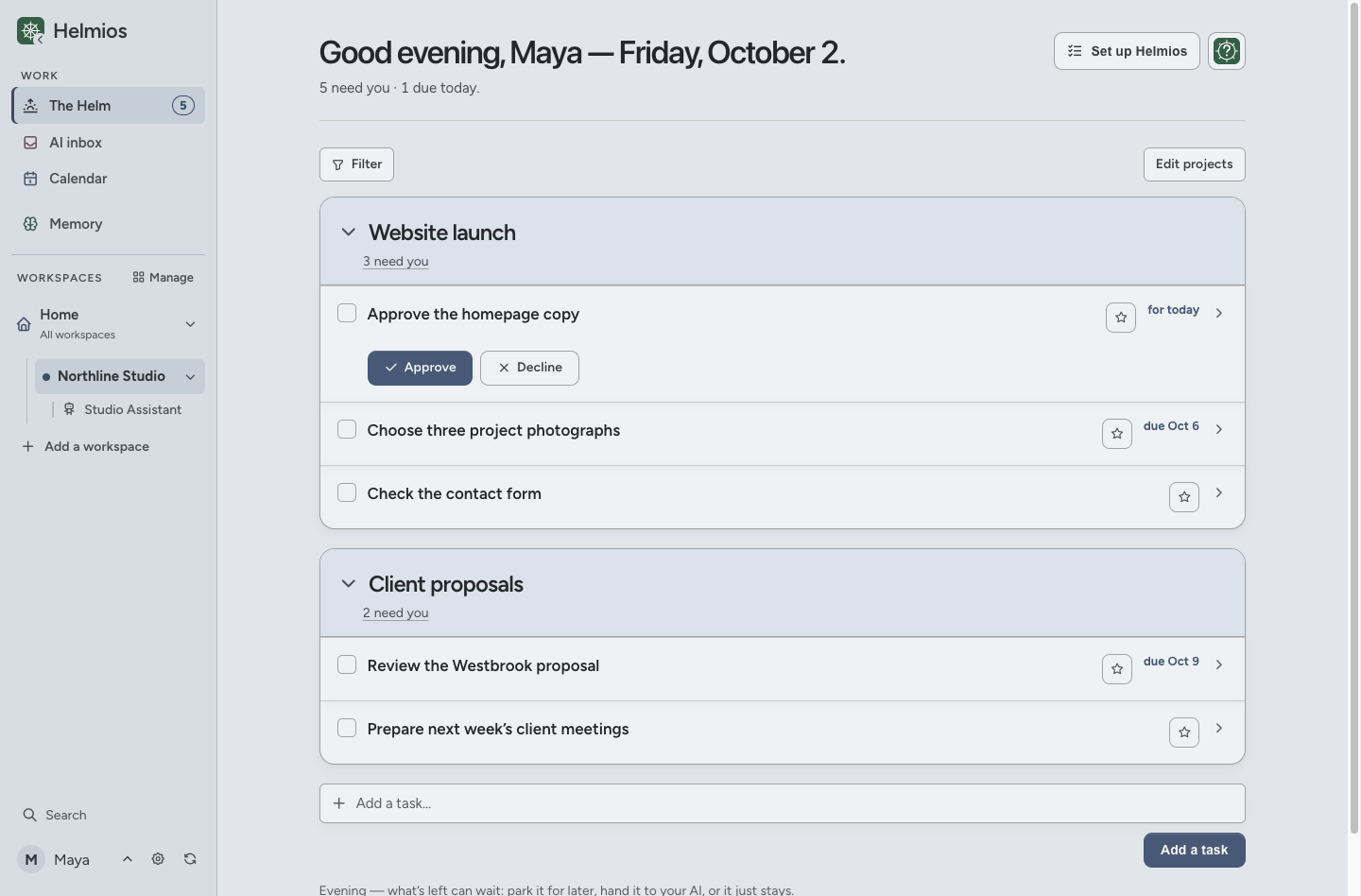
Actual Helmios beta.137 screenshots. All names and work shown are fictional.
Tasks and projects
Keep work, personal tasks and other responsibilities in separate workspaces. See them together from Home.
Add tasks, steps, files and deadlines. Group them by project. Mark what needs your attention today.
Move a task to Later until a date, a reply or another task is finished. Its deadline stays separate.
Keep decisions, approvals and follow-ups with the task. Completed work stays available in Done.
AI inbox
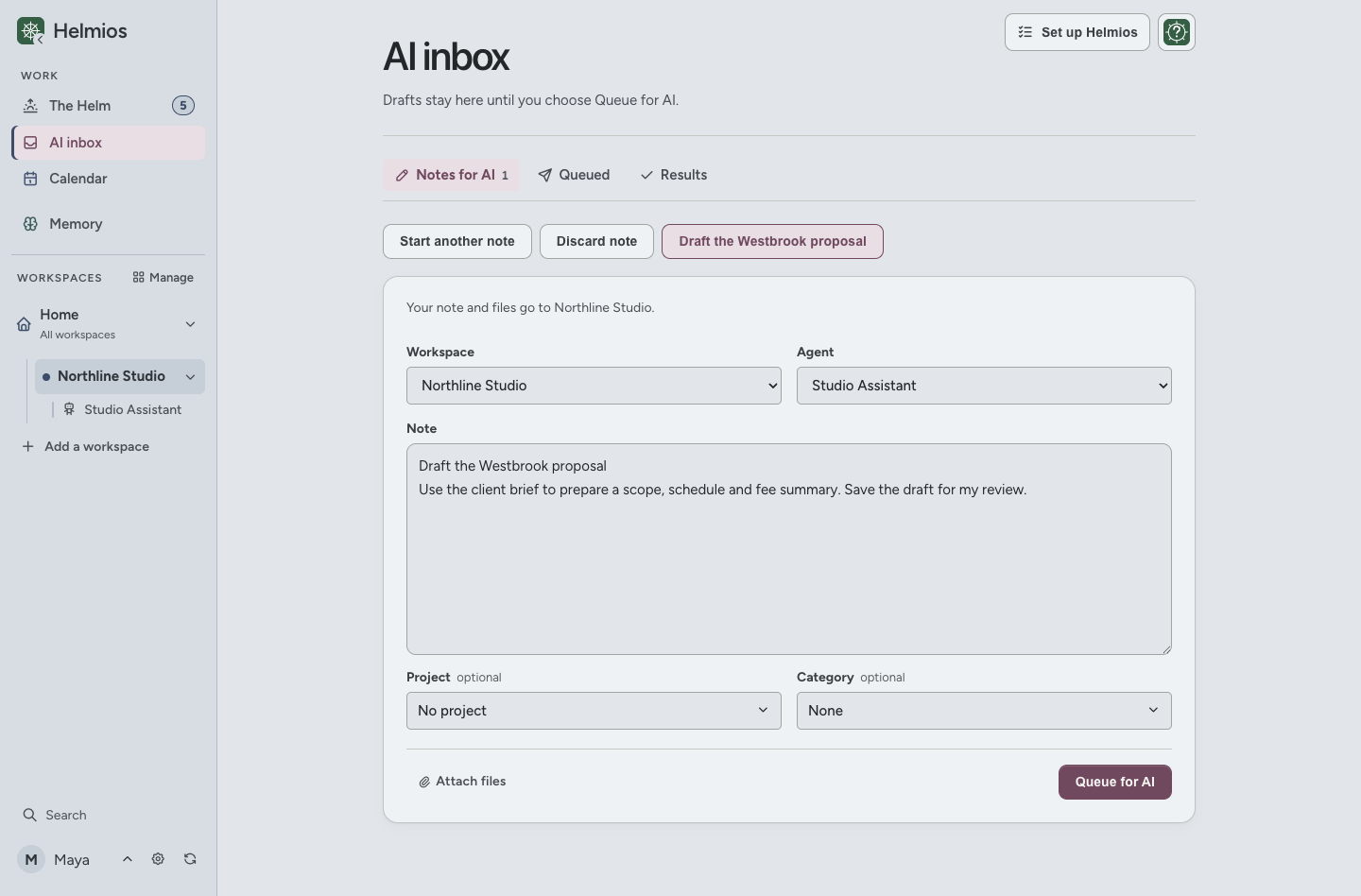
Write a request, choose an Agent and add the files it needs. An Agent is a named role with saved instructions, such as a research assistant.
You start the AI in a separate tool. Adding a request to AI inbox does not run it automatically. Any AI subscription is separate.
Calendar
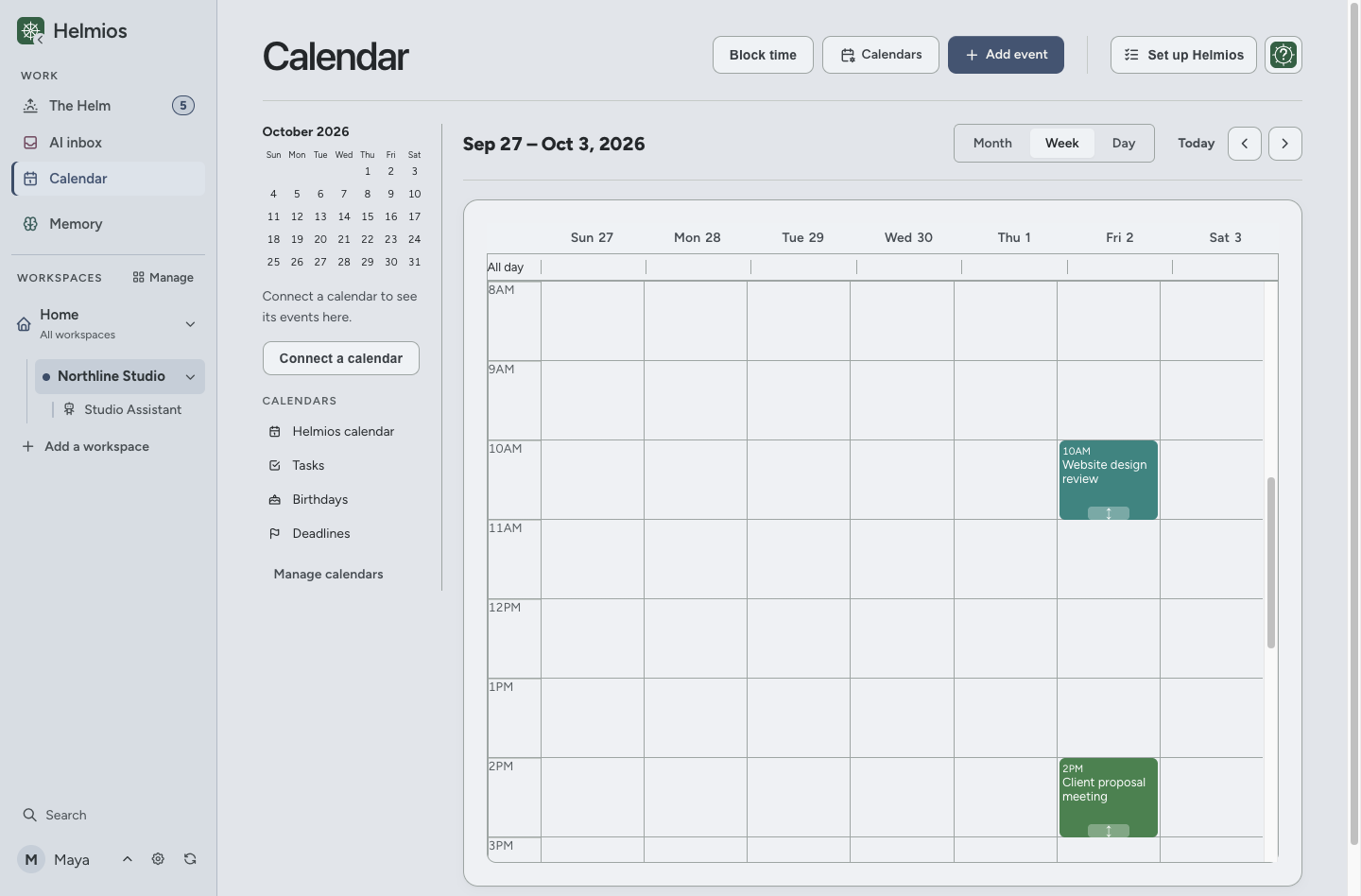
See when work is due alongside your meetings. Reserve time for a task without changing its deadline.
Memory, Library and Agents
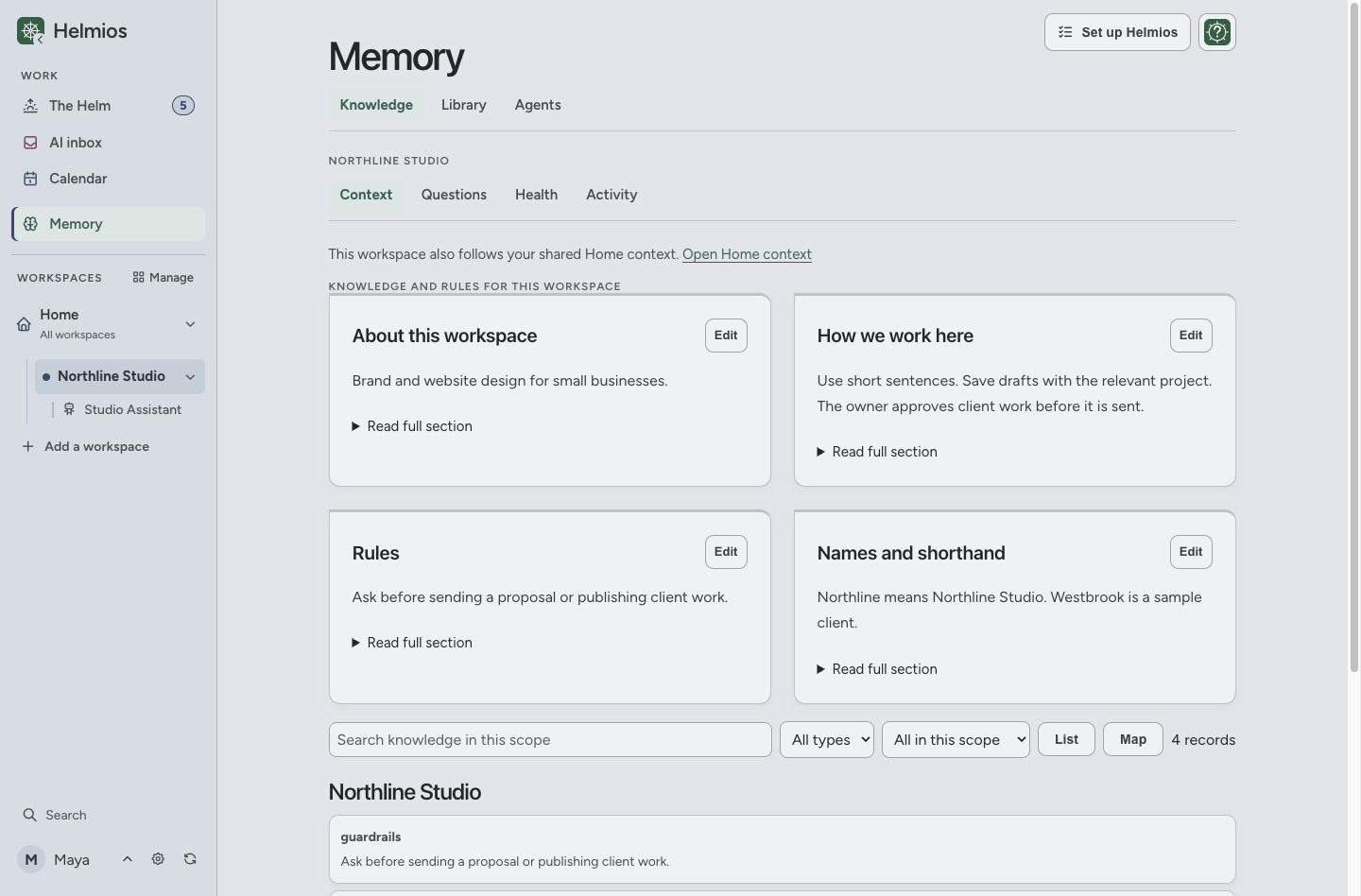
Keep project facts, working preferences and instructions in Memory. Read them, correct them and use them again.
Your Home and workspace files stay in the folder you choose on your Mac. You can open them outside Helmios.
Before you download
Yes. Use it for tasks, projects, deadlines, appointments and saved documents. Connect an AI tool when you want help with the work.
No. You use a separate AI tool to run your Agents. The tool must be able to read and write the folders you connect. Access and setup depend on the tool and your plan.
No. AI inbox prepares requests. You start the Agent in your AI tool. When the Agent saves its result, you can review it in Helmios.
No. Create your Home folder in Helmios, add a workspace and start adding tasks. To use AI, connect the permitted folders in your AI tool and follow the Agent’s start instructions.
Your Home and workspace files are stored in a folder on your Mac. A synced folder may also be copied by your storage provider. Information you share with an AI tool follows that service’s policies. Read the privacy notice.
Helmios is free during beta. Future pricing has not been set. Your AI tool may require a separate paid plan.
Apple silicon and Intel Macs running macOS 12 or newer. There is currently no Windows, iPhone or iPad app.
Features may change and bugs may occur. Keep backups of important work. Contact support if something does not work.
Free during beta. No payment details required.